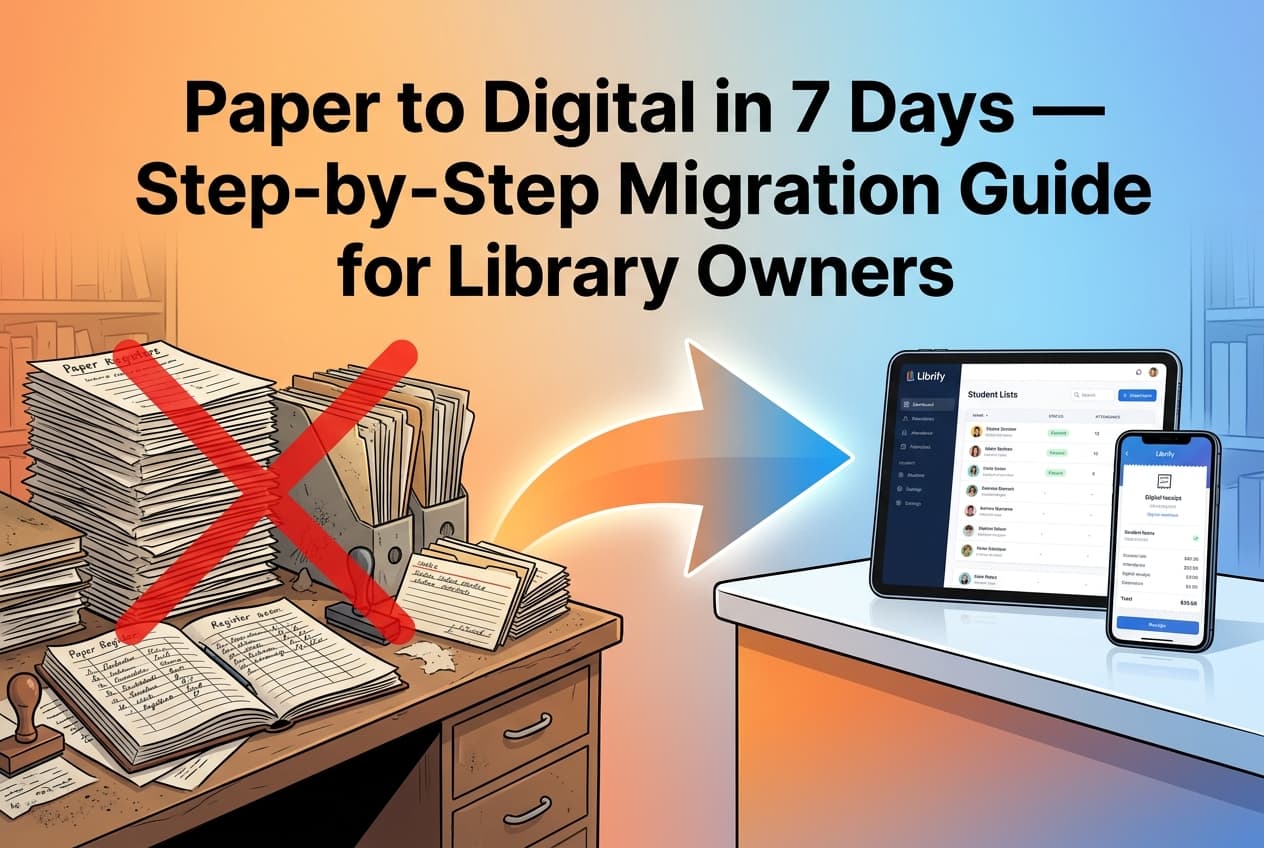

Still tracking attendance in a register? Still chasing students for pending fees on WhatsApp? Still counting empty seats by walking through the hall? You don't have to. In 2026, making your library fully digital takes less than 10 minutes — and it costs nothing to start.
This guide walks you through exactly how to take your library from manual registers and Excel sheets to a complete digital system — with real steps, no fluff, and a free tool that 1500+ Indian library owners already use.
Why You Should Make Your Library Digital
If you run a private library, study space, or reading room, you already know these daily headaches:
Attendance Errors
Students mark attendance for friends, entries are missed, and you have no trustworthy record at the end of the month.
Payment Tracking Chaos
You forget who has paid, who hasn't, and fee due dates slip through. You end up losing money every month.
Zero Reporting
How many students joined this month? What is your occupancy rate? Your revenue trend? With registers, you simply don't know.
No Student Communication
You can't send reminders, announcements, or renewal alerts. Students forget, and you keep following up manually.
What Does "Making Your Library Digital" Actually Mean?
A digital library doesn't mean scanning books into PDFs. For private libraries and study spaces, going digital means using software to manage your daily operations — seat bookings, student records, attendance, fee collection, and reporting — all from your phone or laptop.
Instead of a physical register, you use a library management app. Instead of mental math, you get a real-time dashboard. Instead of chasing students for fees, the app sends automatic reminders. That's what a digital library looks like in practice.
5 Steps to Make Your Library Digital
Audit Your Current Process
Before switching, write down everything you currently track manually: student names, seat numbers, attendance, shift timings, fee amounts, due dates, and any notes. This takes 15 minutes and gives you a clear picture of what your digital system needs to handle. Most library owners realize they track 5–6 things daily — all of which software can automate.
Choose the Right Software
Not all library software is right for private study spaces. Look for these things:
- Free to start — you shouldn't have to pay before seeing if it works for you
- Works on mobile — you'll manage most things from your phone
- Built for Indian libraries — shift support, UPI-friendly, Hindi/English
- No technical setup — if you need an IT person to set it up, it's not for you
Librify checks all four boxes — and 1500+ library owners in India already use it.
Set Up Your Library on Librify
This is the actual switch — and it takes under 5 minutes:
- Go to www.librify.in and create a free account with your phone number
- Enter your library name and total number of seats
- Set up your shift timings — morning, evening, night, full day, or 24-hour
- Librify automatically creates your seat map and dashboard
No credit card needed. No installation. Works instantly on any browser or phone.
Onboard Your Students
You have two options to add students:
Manual Entry
Add existing students by entering their name, phone number, and assigned seat. Good for migrating your current student list.
QR Code Self-Registration
Share your library's unique QR code. New students scan it and register themselves in seconds — no data entry from your side.
Go Live — Let Software Do the Work
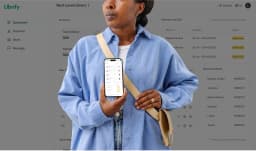
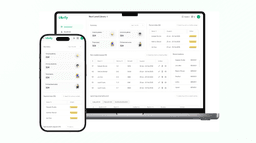
Once your students are in the system, Librify takes over the daily grind. Attendance is tracked automatically. Payment due dates are monitored, and reminders go out via push notifications. Your dashboard shows live occupancy, revenue, and student activity. You no longer need to manually check anything — just open the app and everything is there.
Before vs After: Manual Library vs Digital Library
| Task | Manual (Register/Excel) | Digital (Librify) |
|---|---|---|
| Attendance | Manual register — errors, proxy entries | Automatic tracking with timestamps |
| Payment Tracking | Memory or notebook — fees get forgotten | Auto due-date alerts & payment history |
| Seat Booking | First-come-first-serve, no visibility | Live seat map with shift-wise booking |
| Reports | None — you calculate manually at month-end | Real-time dashboard with daily/monthly trends |
| Student Communication | WhatsApp messages, phone calls | In-app push notifications & announcements |
What You Get When You Digitize with Librify
Seat Management & Booking
Visual seat map with shift-wise assignment. See which seats are free, booked, or expired — in real time.
Attendance Tracking
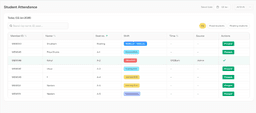
Automatic daily attendance with timestamps. No proxy entries. Filter by date, shift, or student for instant reports.
Payment & Fee Reminders
Track every student's due date. Automatic push notifications remind students before and after fees are due — so you never have to chase payments.
Dashboard & Analytics
See total students, revenue, occupancy rate, and daily trends at a glance. Make data-driven decisions instead of guessing.
QR-Based Student Registration
New students scan your library's QR code and register themselves instantly. No forms, no data entry from your end.
Push Notifications
Send announcements, fee reminders, and renewal alerts directly to students' phones. No more WhatsApp follow-ups.
Frequently Asked Questions
How do I make my library digital?
Is it expensive to digitize a library?
Do I need any technical knowledge to set up digital library software?
Can I manage my digital library from my phone?
What is the best digital library management app in India?
How long does it take to make a library fully digital?
Related Guides
Make Your Library Digital Today — It's Free
1500+ library owners across India have already replaced their registers with Librify. Setup takes under 10 minutes, costs nothing, and works on any device.
Start Free with Librify →No credit card. No technical setup. Works on mobile and desktop.