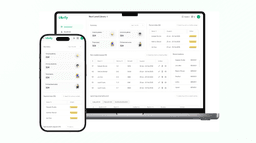


GoLibrary is the most installed library manager app on Google Play. Librify is a library management app for private self-study libraries and reading rooms in India, and its free plan does not cap seats. If you are choosing between the two, the real questions are what each costs at your seat count and what you give up.
Quick answer
Pick GoLibrary if you need fingerprint or face attendance, an iPhone app, or locker and enquiry tools, and you have 25 members or fewer to stay free. Pick Librify if you have more than 25 students and want a free plan with no seat cap, or public paid plans from ₹59 a month (as of October 2026).
Every competitor fact below was checked on GoLibrary's own website, Play Store listing and App Store page on 27 October 2026. Prices change, so treat this as a dated snapshot and confirm on golibrary.in before you pay.
Librify vs GoLibrary at a glance
The table puts the criteria first and the verdict later. Read the row that matters most for your library, not the whole grid.
| Criteria | GoLibrary | Librify |
|---|---|---|
| Free plan | Free for life up to 25 members | Free forever, no cap on students or seats; 1 branch, 1 owner and 1 admin login |
| Paid price shown publicly | Not on the website; in-app purchases on Play | Yes: Mini ₹59-₹159 a month, Pro ₹149-₹349 a month by seat count |
| Trial | Free plan instead of a trial | 30-day Pro trial for new libraries |
| Apps | Android, iOS and web (app plan and web plan sold separately) | Android owner app, web dashboard, Android student app; no iOS app |
| Attendance | Fingerprint, face or RFID devices; access control | QR scan from the student app; no biometric hardware |
| WhatsApp messages | SMS, WhatsApp and email reminders listed on the free plan | Receipts and payment-due messages on Mini and Pro; expiry reminders on Pro |
| Lockers and enquiries | Locker and enquiry management | Not offered |
| Interface languages | Not listed on the pricing section | 9 languages, including Hindi, Marathi, Tamil and Bengali (Mini and Pro) |
| Play Store | 4.7 stars, 922 reviews, 1 lakh+ downloads | 4.8 stars, 80 reviews, 1,000+ downloads |
What GoLibrary does well
GoLibrary has been around longer than most apps in this category. Its website says 8+ years in the industry and 25K+ active users (vendor claim), and its Google Play listing shows 1 lakh+ downloads and 922 reviews at 4.7 stars as of October 2026. No other library manager app on Play comes close to that review count.
Three things stand out on GoLibrary's homepage:
- Biometric and access control. It lists fingerprint, face and RFID attendance, remote enrolment of members on the device, and door access tied to a member's plan status. A student whose plan has expired cannot walk in.
- An iPhone app. Go Library is on the App Store as well as Play, so an owner with an iPhone gets a native app.
- Extra desk tools. Locker management, enquiry tracking that converts walk-ins into members, and expense records.
If your library has a door lock that already works with a supported device, GoLibrary fits that setup better than any QR-only app.
What Librify does well
Librify is built only for paid seat-and-shift libraries, not book lending. Librify is used by 1500+ libraries across 20+ Indian states (Librify, 2026), and it was started in Jaipur in 2025. Its strengths are price clarity and how it handles seats.
- No seat cap on the free plan. A 120-seat library can run student records, QR self-registration, seats and shifts, attendance and the student app without paying.
- Public, seat-based prices. You can see the exact monthly and yearly cost for your seat count on the Librify pricing page before signing up.
- Shift detail. Morning, Afternoon, Evening, Night, Full Day and 24-hour shifts with custom timings and a separate fee per shift, plus fixed or floating seats across floors.
- Nine interface languages on Mini and Pro. The language is set per branch, so a library whose desk staff read Hindi or Marathi better than English can run that branch in their language.
Free plans compared: 25 members vs no seat cap
GoLibrary's free plan is generous on features and strict on size. Librify's is the other way round. That single difference decides most comparisons.
GoLibrary counts members, not seats. A 50-seat library running a morning and an evening shift can easily have 80 to 100 members on its books, so the 25-member limit is reached while you are still entering existing students. GoLibrary's free plan suits a new reading room with one shift and a handful of students, or an owner testing the app before buying.
Librify's free plan has no cap on students or seats, but it is limited to one branch, one owner login and one admin login (as of October 2026). It is English only and leaves out reports, revenue and expense tracking, the custom registration form, the language switch and WhatsApp messages, which start on Mini. For a deeper look at free options across apps, see our guide to the best free library management apps in India.
Mistake we see often
Comparing free plans by the feature list alone. Count your active members across all shifts first. A free plan that includes biometric setup is no use to a 70-member library if it stops at 25, and a free plan with no cap is no use if you cannot live without WhatsApp reminders.
Paid pricing in rupees
Librify's paid prices are public and depend on seat count. Half-yearly costs 5 times the monthly price and yearly costs 10 times, so a year is two months cheaper.
| Seats | Mini | Pro |
|---|---|---|
| 1-50 | ₹59 (₹590 a year) | ₹149 (₹1,490 a year) |
| 51-100 | ₹99 (₹990 a year) | ₹179 (₹1,790 a year) |
| 101-200 | ₹119 (₹1,190 a year) | ₹269 (₹2,690 a year) |
| 201+ | ₹159 (₹1,590 a year) | ₹349 (₹3,490 a year) |
Mini adds reports (daily Excel, action-items PDF), revenue and expense tracking, the custom registration form with Aadhaar and photo, WhatsApp receipts and payment-due messages, and the language switch. Pro adds WhatsApp expiry reminders and unlimited branches, owners and admins.
GoLibrary does not print its paid prices on its website. The Play listing shows in-app purchases, and its terms page says the mobile app plan (Android and iOS together) and the web plan are separate subscriptions, so using both means buying both (as of October 2026). Ask GoLibrary for the total for the app and the web dashboard before you compare it with a Librify plan, which covers the app and the web dashboard together.
Which library should pick which?
Here is how the choice usually falls, by library type:
- Pick GoLibrary if biometric or face entry is a requirement, if you or your manager use an iPhone, if you rent lockers, or if you have 25 members or fewer and want to stay free with reminders included.
- Pick Librify if you have 30 to 300 seats across two or more shifts, want to start free with no seat limit, want a price you can read before signing up, or want to run the dashboard in Hindi or another Indian language.
- Pick Librify Pro if you run two or more branches, since Pro includes unlimited branches, owners and admins under one account.
- Either works for a single-branch, QR-based library under 25 members, so test both for a week each.
For the wider field, including 24Library, Libly and SeatWise, read our best library management software in India comparison or the side-by-side tables on Librify's compare page.
Switching from GoLibrary to Librify
Moving apps is mostly a data job. Plan it for a quiet week, away from the days when most of your students renew.
- Download your member report from GoLibrary. Its tutorial list on the website covers how to download it.
- Clean the file: one row per student, 10-digit phone numbers, seat number, shift, plan end date and any pending amount.
- Create your seats and shifts in Librify first, with the same seat numbers and shift fees you use today.
- Send the sheet to Librify support, who can import a student list from Excel or CSV.
- Enter pending dues as dues, not as payments, so no one gets a receipt for money they have not paid.
- Run both apps for one billing cycle, then stop GoLibrary once the counts match.
Put your library's QR code on the wall on day one so new students register themselves in Librify while you move the old ones.
Librify publishes this blog. We have tried to keep this comparison fair; check each product's own site for current details.
Frequently asked questions
Is GoLibrary free to use?
Yes, up to 25 members. GoLibrary's website lists a free-for-life plan for up to 25 members, with reminders, lockers, biometric setup and branch management included (as of October 2026). Beyond 25 members you need a paid plan, and the price is shown inside the app rather than on the website.
Which is cheaper for a 60-seat library, Librify or GoLibrary?
Librify is cheaper on paper because its price is public. Librify's free plan has no seat cap, and Mini for 51-100 seats costs ₹99 a month or ₹990 a year (as of October 2026). GoLibrary's free plan stops at 25 members and its paid price is shown in the app, so compare it there before deciding.
Does Librify support biometric or fingerprint attendance?
No. Librify does not connect to biometric or face machines. Students mark attendance by scanning the library's QR code with the student app. If fingerprint or face entry is a must for your library, GoLibrary lists fingerprint, face and RFID support on its website as of October 2026.
Does Librify have an iPhone app like GoLibrary?
No. Librify's owner app is on Google Play and the same account works on the web dashboard, but there is no iOS app as of October 2026. GoLibrary has apps on Google Play and the App Store, though its terms say the mobile plan and the web plan are bought separately.
Can I move my student data from GoLibrary to Librify?
Yes. Download your member report from GoLibrary, which its own tutorial list covers, and keep it as an Excel or CSV file. Librify's support team can import a student list from Excel or CSV. Re-enter each student's plan end date and pending dues, and run both apps for one billing cycle before you stop GoLibrary.
Running more than 25 students? Try Librify's free plan with no seat cap.
Free plan available. Paid plans from ₹59 a month, priced by seats.
Start free on Librify Get the Android app